Keeps going, screen off.
Your sound plays in the background all night. Everything is on your phone, so there's nothing to stream and no account to sign in to.
 ComfySound
BUILT TO PLAY ALL NIGHT
Traffic outside. Voices next door. A steady background sound can help mask the distractions, so you can settle into your own little quiet place. ComfySound is designed to keep playing all night, offline and with the screen off, until morning or until your timer gently fades it out.
Android iOS · Store releases coming soon
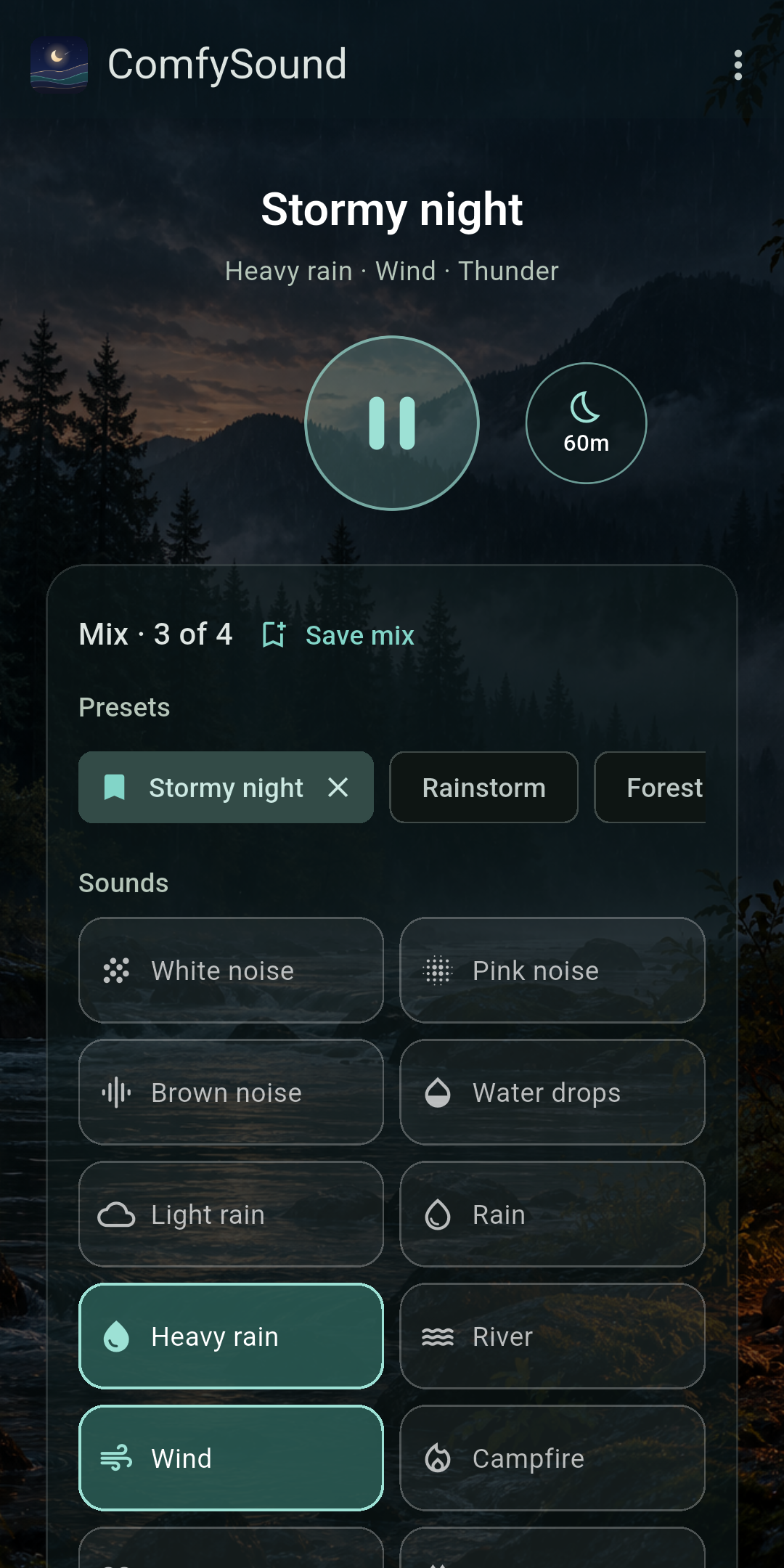
Actual Android testing build
BUILT FOR THE WHOLE NIGHT
Many sound apps are fine for a few minutes. ComfySound is designed from the ground up to keep your sound going all night while you sleep, and to stay out of your way when something interrupts it.
Your sound plays in the background all night. Everything is on your phone, so there's nothing to stream and no account to sign in to.
A phone call pauses it, and it carries on afterward. If your phone ever stops ComfySound overnight, it starts again with the same mix and timer.
Playback runs separately from the screen you see, so closing the app, a busy phone, or an ad never cuts the sound. Recordings reshuffle gently, so there is no loop to notice at 3 a.m.
If your headphones disconnect, it pauses instead of playing out loud. Set a timer to fade out gently, or let it play until morning.
On Android, restarting on its own needs unrestricted battery use for ComfySound. The app shows you where to turn it on.
LESS TO TUNE INTO
A consistent layer of sound can make traffic, footsteps, and other passing noises less noticeable in a noisy room.
Choose rain, a familiar fan, or a soft shade of noise, or blend a few. Find a texture you enjoy and let it be your backdrop as you wind down.
Keep listening with the screen off. Set a sleep timer to fade out, or leave it off and listen at your own pace.
Sound masking makes distracting sounds less noticeable by reducing their contrast with a steady background. Its effect depends on the sound, volume, and environment. Sleep research is mixed, so ComfySound does not promise better sleep. Keep the volume low and comfortable. White-noise study ↗ Research review ↗ 2026 findings ↗
FIND YOUR SOUND
All twenty-one sounds, included free. Ready to play offline.
MAKE IT YOURS
Blend a few sounds into your own backdrop, or start from a ready-made scene.
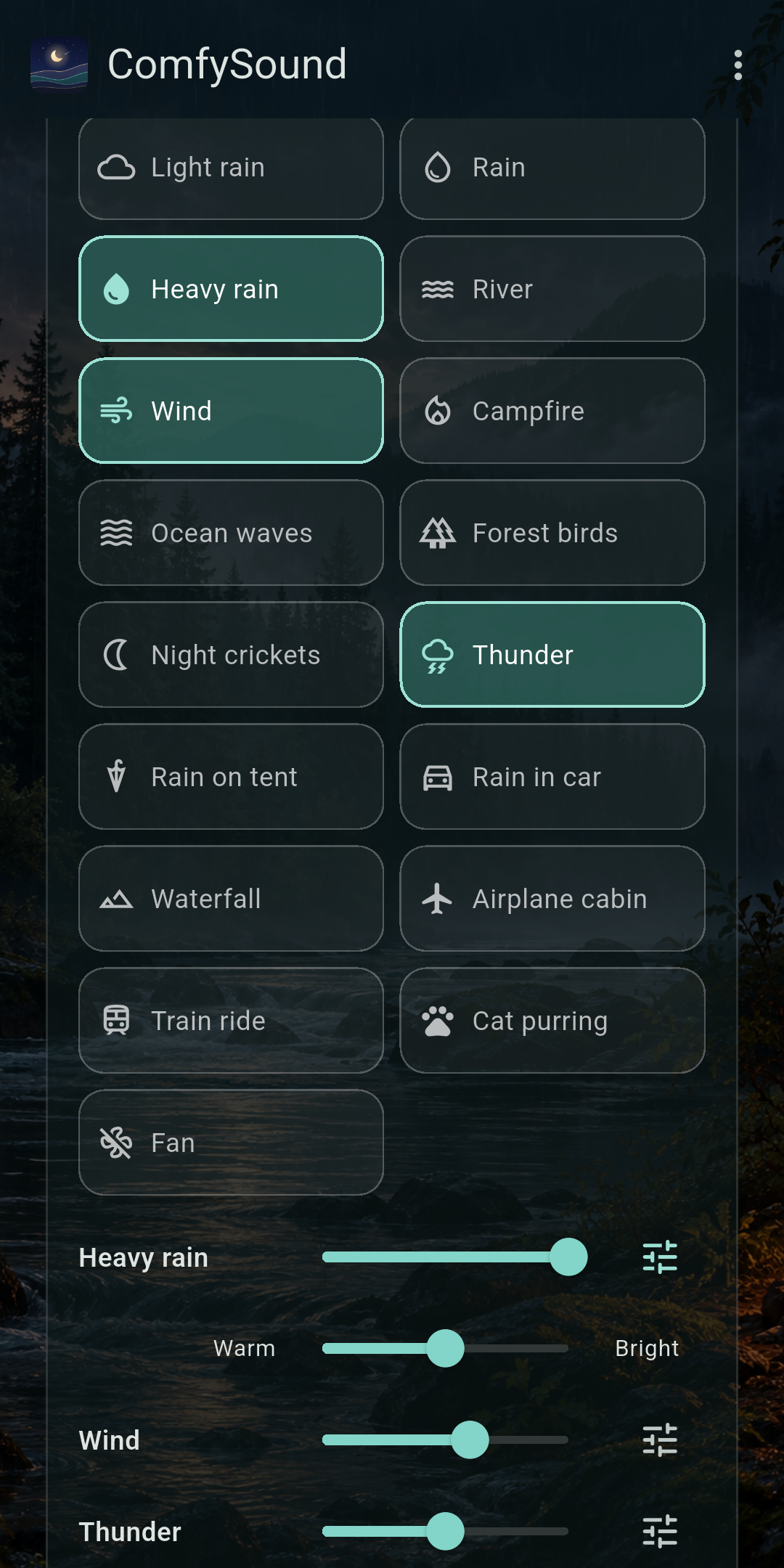
Rain with a little wind, a river with distant birds. Each sound gets its own level.
Tap the tune icon on any sound to soften hiss or bring out detail, so the mix sits just right.
Seventeen scenes, from Rainstorm and Thunderstorm to Campfire night, Rainy drive, and Zen garden. One tap, or swipe between them.
Name a mix you love and it appears first in your presets. ComfySound also remembers your last mix.
Recordings are continuously reshuffled with gentle crossfades and played in stereo, so there's no short loop to notice.
No extra slider to fiddle with. Use your phone's volume buttons, and ComfySound follows.
QUIET BY DESIGN
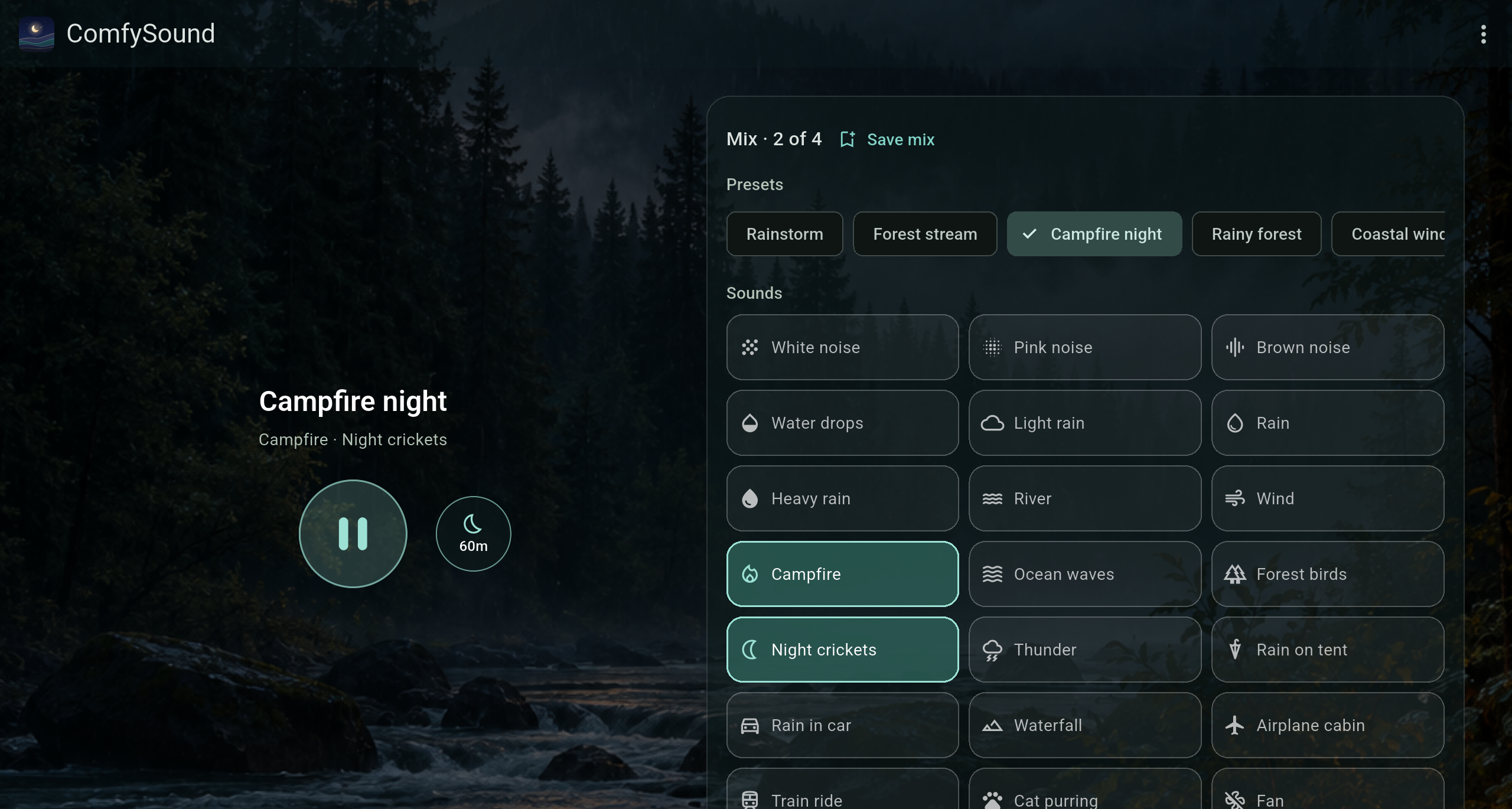
A calm screen with one round Play button and a sleep timer right beside it. Tap a preset or swipe between scenes, then fine-tune the mix below. On tablets, playback and your mix sit side by side.
Actual Android testing builds shown (captured on emulators, where no ad loads). In the app, a dark, clearly labeled ad sits at the bottom until you remove ads.
CHOOSE YOUR QUIET
ANDROID · FREE
All the sounds, mixing, and scenes, with a dark, clearly labeled ad at the bottom. Playback never waits on an ad.
Google Play release coming soonONE-TIME UPGRADE
Remove ads once, in the app. No subscription. It stays with your Google account, so it comes back on a new phone.
In-app purchase · price at releaseiPhone, too. iOS is coming soon.
Store listings are not live yet. Android is currently in testing; pricing will be announced at release.
ABOUT
ComfySound is a small, independent app, built to be a calm, reliable sound for winding down. You can find more about me and my other work at mduppes.com ↗